
Token Meter
Open source · Apache-2.0
Is your AI plan paying for itself?
Token Meter reads your local Claude Code, Codex and Ollama logs and works out what that usage would cost at API prices. Then it sets that against what you pay. It's free and open source, and everything stays on your Mac.
Version 2.0.0 · 1.7 MB · macOS 14.0 or later · Free
Universal (Apple Silicon and Intel)
Signed with a Developer ID and notarized by Apple, so it opens without a Gatekeeper warning.
Verify this download
Run this in Terminal after the download finishes. It prints OK if the file is byte-for-byte the one we published, and FAILED if it isn't. If it fails, don't open it.
cd ~/Downloads
echo "37304c3152c413b7721522d5605c9ee831b50c8c495303fa686af070dda888cc TokenMeter-2.0.0.dmg" | shasum -a 256 -cSHA-256
37304c3152c413b7721522d5605c9ee831b50c8c495303fa686af070dda888cc
The same build is served from both places, so this digest matches either copy.
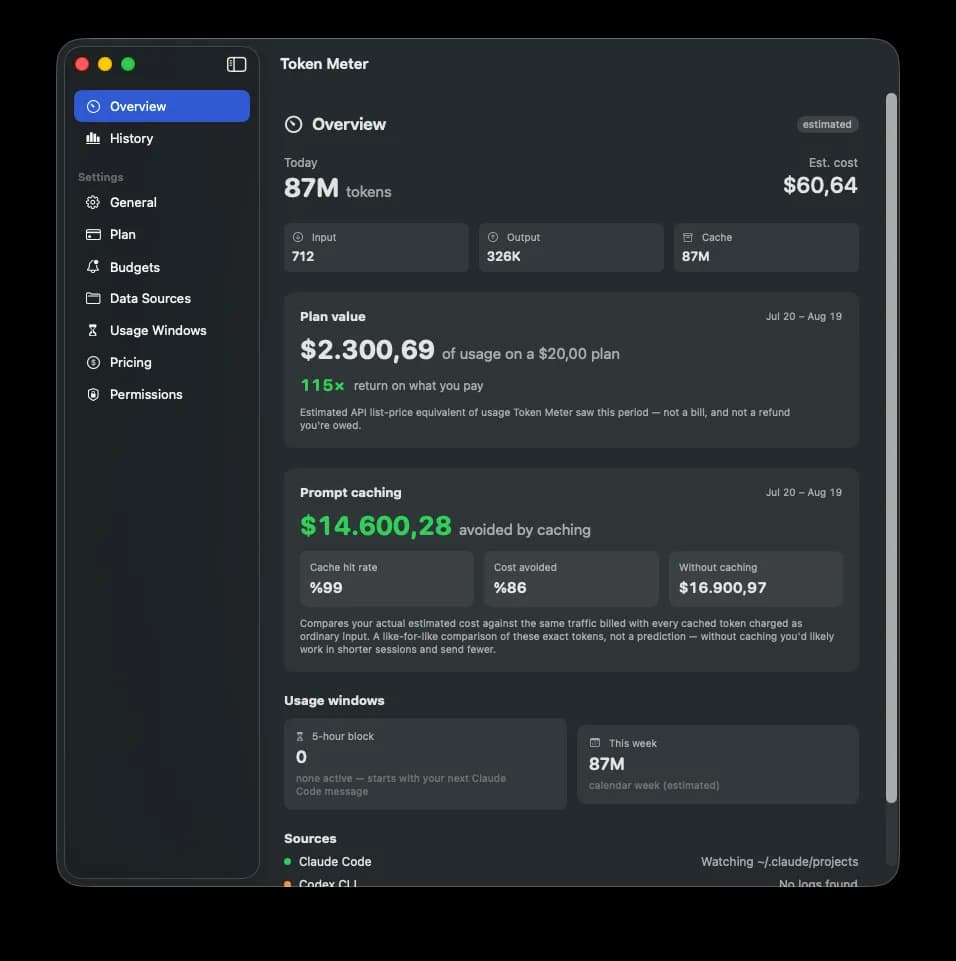
Example
$1,038 of usage on a $20 plan
52× return on what you pay
An illustration: your own number depends on how much you use. It's an estimate at API list prices, and on a subscription you still pay the subscription price.
Everything in Token Meter
Plan value
Tell it what you pay and it reframes your usage as return on the subscription, instead of a scary invoice.
Budget alerts
Set ceilings for the 5-hour block, the day, the week or the billing period. It notifies you at 50%, 80% and 100%, once per window, so a long session never spams you.
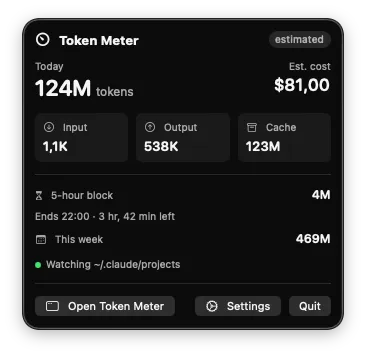
Live in the menu bar
Today's tokens, today's estimated cost, block progress or your plan multiple, visible without opening anything.
Prompt-cache analysis
In agentic coding, cache reads are usually most of the bill. See your hit rate and how much caching changes the estimate.
Per-branch and per-agent costs
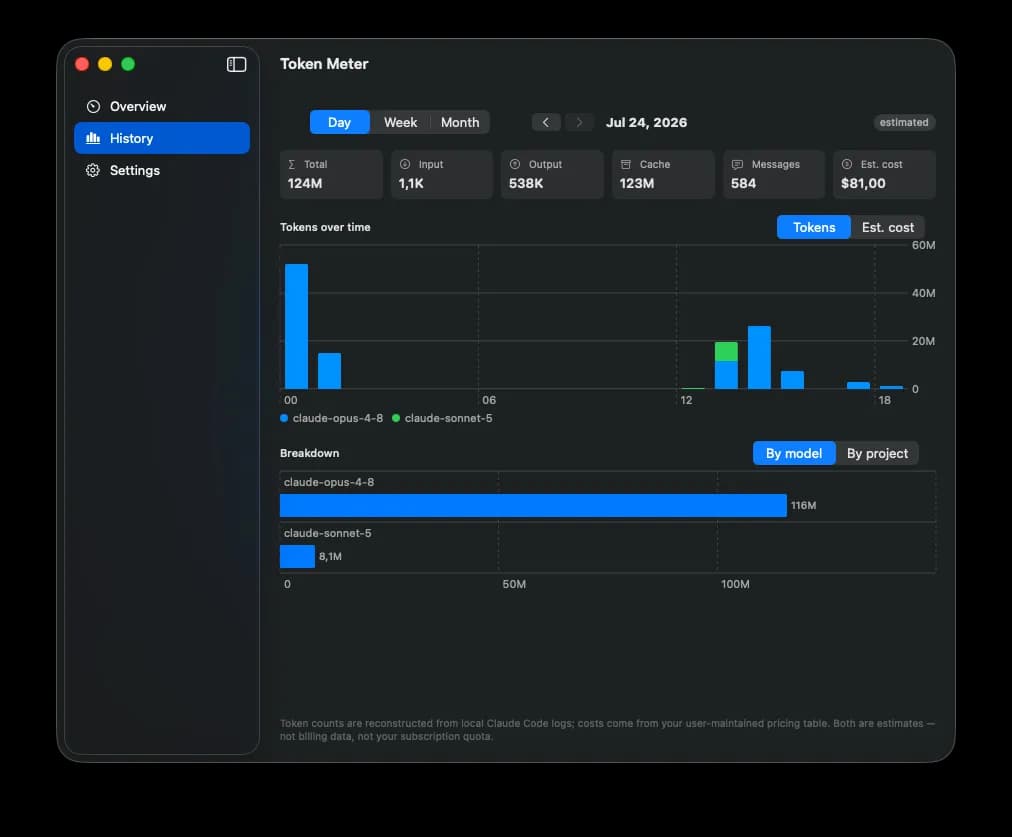
Break usage down by git branch, session, subagent and skill, as well as by model. It answers “what did this feature cost?”
History and charts
Tokens and estimated cost over time, per model and per project, from a local database.
Export
CSV or JSON for any period, including per-event estimated cost and attribution.
Local models too
Ollama token counts and throughput, tracked separately. Models running on your own Mac cost nothing.
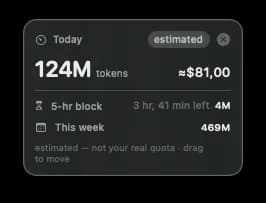
Also in the app: a desktop widget, a floating always-on-top readout, launch at login, and per-model pricing you can edit yourself.
See it running
It shows estimates, and says so
Token Meter cannot show the quota left on your subscription. Anthropic and OpenAI do not publish the 5-hour or weekly limits through any API. Every number is reconstructed from log files already on your Mac and labelled estimated throughout, including the 5-hour block view.
What the cost number means
The cost figure is what your tokens would have cost on pay-as-you-go billing, at API list prices. It is not a bill, and it is not money you are owed. On a subscription you pay the subscription price, whatever this number says.
Claude Code logs
~/.claude/projects/**/*.jsonl
EstimatedParsed on your machine, no network. The logs are known to under-report token counts, sometimes significantly.
Codex CLI logs
~/.codex/sessions
EstimatedParsed on your machine, no network. Same under-reporting caveat as Claude Code.
Ollama (local models)
127.0.0.1
MeasuredExact token counts from the local endpoint. There's no cost to estimate, because the model runs on your Mac.
Usage from the Claude or ChatGPT web and desktop apps leaves no local trace, so it is invisible to this tool. The 5-hour block is Claude Code only, so Codex usage never inflates it. Billing-grade connectors to the provider usage APIs are planned, but none has shipped yet.
Nothing leaves your Mac
Your logs are read on your Mac and your history stays there. The app has no account, and no telemetry or analytics.
All of it stays local
Parsing happens on-device and history lives in a local database under ~/Library/Application Support/TokenMeter.
Three network calls, all yours
A daily model-pricing refresh, an update check against GitHub, and your own local Ollama endpoint if you use it. Nothing about your usage travels with any of them.
Why it asks for Full Disk Access
Claude Code and Codex write their logs under your home folder, and macOS gates that whole area behind Full Disk Access. It is the only way to read them, and the app reads those log files and nothing else.
No API keys in this release
This release holds no API keys at all. When connectors arrive, keys will be stored in the macOS Keychain and nowhere else: not in the database, the defaults or the logs.
Two ways to run it
Take the notarized build, or build it yourself from source. Both end up in the same place.
Download and drag
Open the disk image and drag Token Meter into your Applications folder. That's the whole install. The build is signed with a Developer ID and notarized by Apple, so it opens straight away.
Grant Full Disk Access
The CLI logs live under your home folder and macOS gates access to them, so reading them needs Full Disk Access in System Settings → Privacy & Security. The app detects the missing permission and walks you through granting it.
Or build from source
Needs macOS 14 and Xcode 16 or later. A source build is signed ad hoc, which is fine on your own Mac, though macOS may ask you to confirm file access again between launches.
git clone https://github.com/unichat-dev/token-meter.git
cd token-meter
make bootstrap
make buildTokenMeter-2.0.0.dmg
Released Aug 17, 2026 · macOS · Universal (Apple Silicon and Intel)
GitHub is the main copy (the button above), so downloads are counted in one place. This mirror is the identical build, for when GitHub isn't reachable.
New in Token Meter 2.0.0
Version 2.0 answers a question 1.x couldn't: whether the subscription is worth it.
- NewPlan value: your usage shown as return on what you pay.
- NewBudget alerts at 50%, 80% and 100%, delivered as macOS notifications.
- NewPrompt-cache hit rate, and what caching does to the estimate.
- NewCost broken down by git branch, session, subagent and skill.
Show all 10 changesShow fewer
- NewCSV and JSON export for any period.
- NewA live readout in the menu bar.
- NewLaunch at login, and in-app update checks.
- FixedMore accurate cost: 1-hour cache writes and server-side web search are now billed correctly.
- ImprovedMuch faster: a warm start on a large log archive went from around 34 seconds to around 2.
- ImprovedSettings reorganised into a sidebar.
Issues and pull requests are welcome, and students on our teams review them. Or join the studio and ship something of your own, with your name on the commits.